
01 · Capture
Drop a clip.
Pull a rep straight from your camera roll, or record it in the app. One angle, one rep. No rig, no markers, no second device.
How it works
Every clip goes through the same four steps, and each one ends with a number you can act on.
01 · Capture
Pull a rep straight from your camera roll, or record it in the app. One angle, one rep. No rig, no markers, no second device.
02 · Trace
The app finds your body in every frame and names 33 points on it, so each joint can be measured on its own.
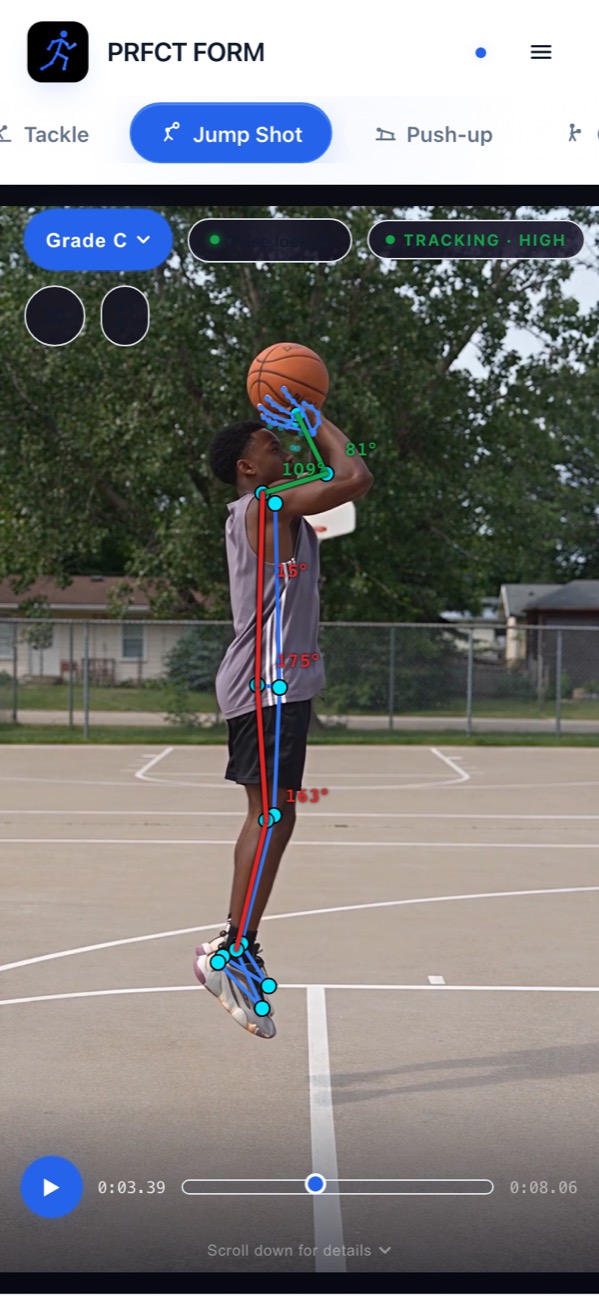
03 · Classify
PRFCT Form recognizes the moment the rep is in. A different question gets asked at Set than at First Drive, at Contact, at Release.
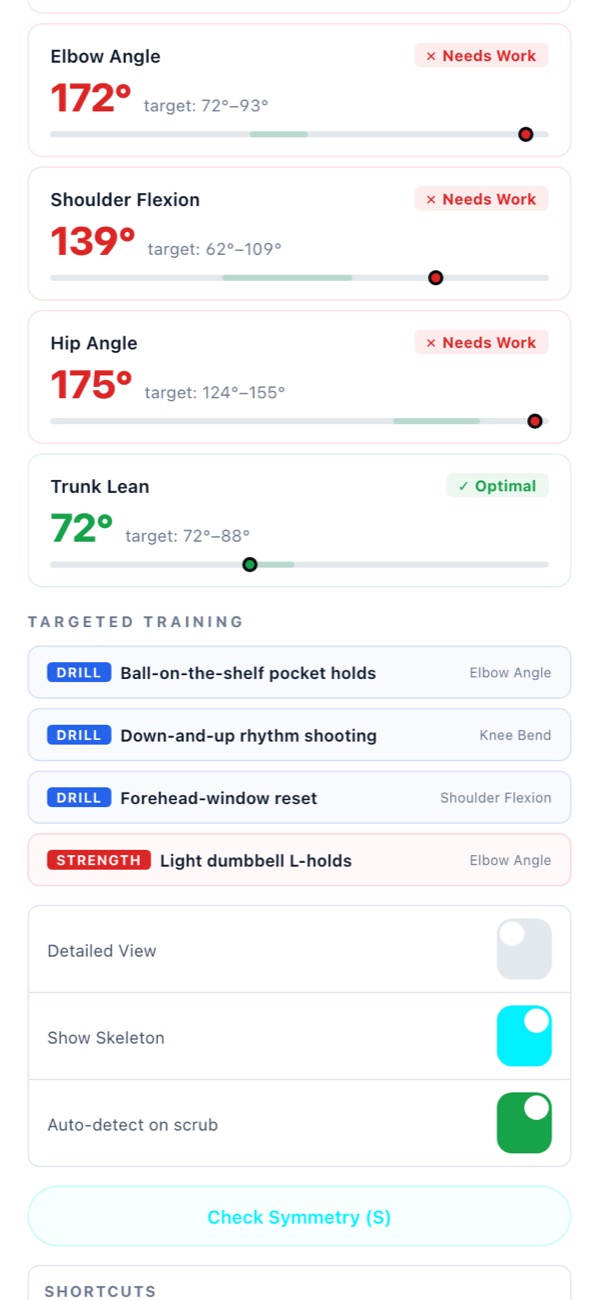
04 · Render
Each angle is checked against its published range and marked optimal, close, or needs work. You get the number, the range, and the study.
Leave your email and we'll tell you the day it lands on the App Store. Nothing else, no newsletter.